
The ACCESS Financial Assistance Program helps remove financial barriers to YMCA memberships and programs. This staff guide summarizes the most important steps for assisting applicants, identifying acceptable documentation, submitting applications, and setting appropriate expectations.
This article is a quick-reference guide for frontline staff. Refer to the full M4 Financial Assistance SOP whenever additional detail or clarification is needed.
Staff Quick Reference
- Welcome every applicant with dignity and respect.
- Maintain the confidentiality of all financial information.
- Apply financial assistance guidelines consistently.
- Never promise or guarantee an award amount before review and approval.
- Collect all required documentation before submission whenever possible.
- Focus on removing barriers and helping the applicant complete the process.
Who Is Included in the Household?
A household includes all individuals living at the same primary address, regardless of their relationship to one another. All adults age 18 or older must be included in the household income review.
This may include:
- Spouses or married couples
- Domestic partners
- Adult children living at home
- Roommates
- Other adults living at the address
- Foster children, who may require special processing
How Applications Are Submitted
Applications may be submitted in either of the following ways:
- Online: The applicant completes the scholarship application through the ACCESS site.
- In branch: Staff assist the applicant using the Y Member Onboard App.
Both methods create a Case in TREC and route the application through the scholarship review and approval workflow.
In-Branch Application Process
-
Identify or create the applicant.
Scan the applicant’s ID or driver’s license in Y Member Onboard. Confirm that the correct person’s name appears in the scan bubble. -
Complete the intake process.
Open the Facility Tour form and have the applicant review and complete their contact information. The form language can be changed when needed. -
Review the Tour Card.
Confirm that the Salesforce contact was created or updated. Follow the appropriate review process if the Tour Card displays a red block or screening indicator. -
Add every household member.
Use Add Family and Add Another Household Member until all individuals living in the household have been included. -
Select the primary applicant.
With the primary contact selected, tap Scholarship. Existing contact information will be prepopulated. -
Complete the scholarship questions.
Review household size, income sources, the requested membership or program, and the applicant’s personal statement. -
Upload available documentation.
Staff may photograph and upload documents directly into the application. -
Submit the application.
If proof documents are not immediately available, the application may still be submitted. The Business Center will request the missing documentation during review.
Fast Track Documentation
Fast Track applicants generally provide one current qualifying program or benefit document as evidence of financial need. The document must clearly establish active participation and should account for the household members covered by the benefit.
Level 1 Fast Track
-
CalWORKs/TANF
A current Benefits Verification Letter or Notice of Action showing active cash assistance. -
Supplemental Security Income (SSI)
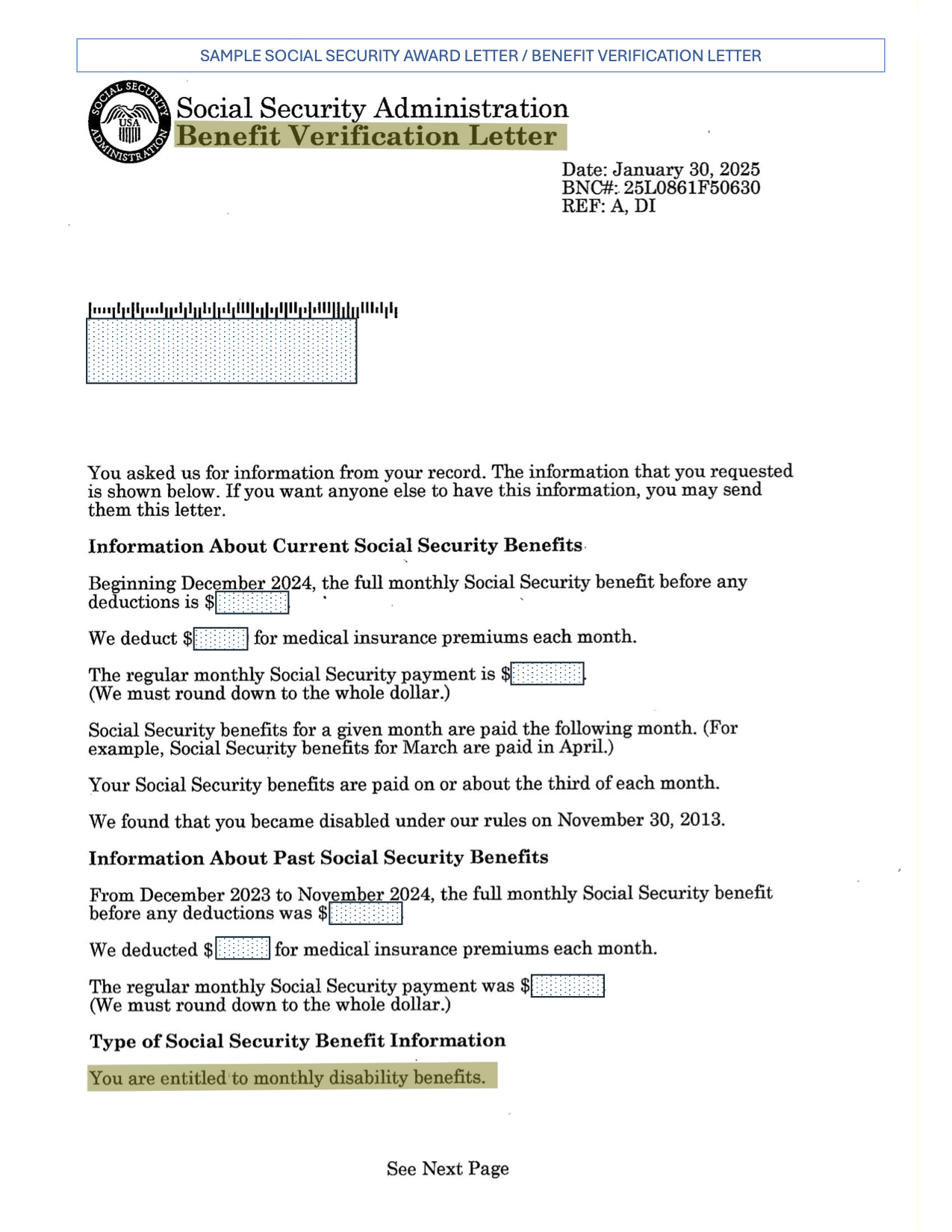
A current Social Security award letter identifying the recipient, current eligibility, and monthly benefit amount. See the Document Example. -
Aged and Disabled Federal Poverty Level program
Current eligibility documentation showing participation in the program and the individual covered. -
CalFresh, SNAP, or CFAP
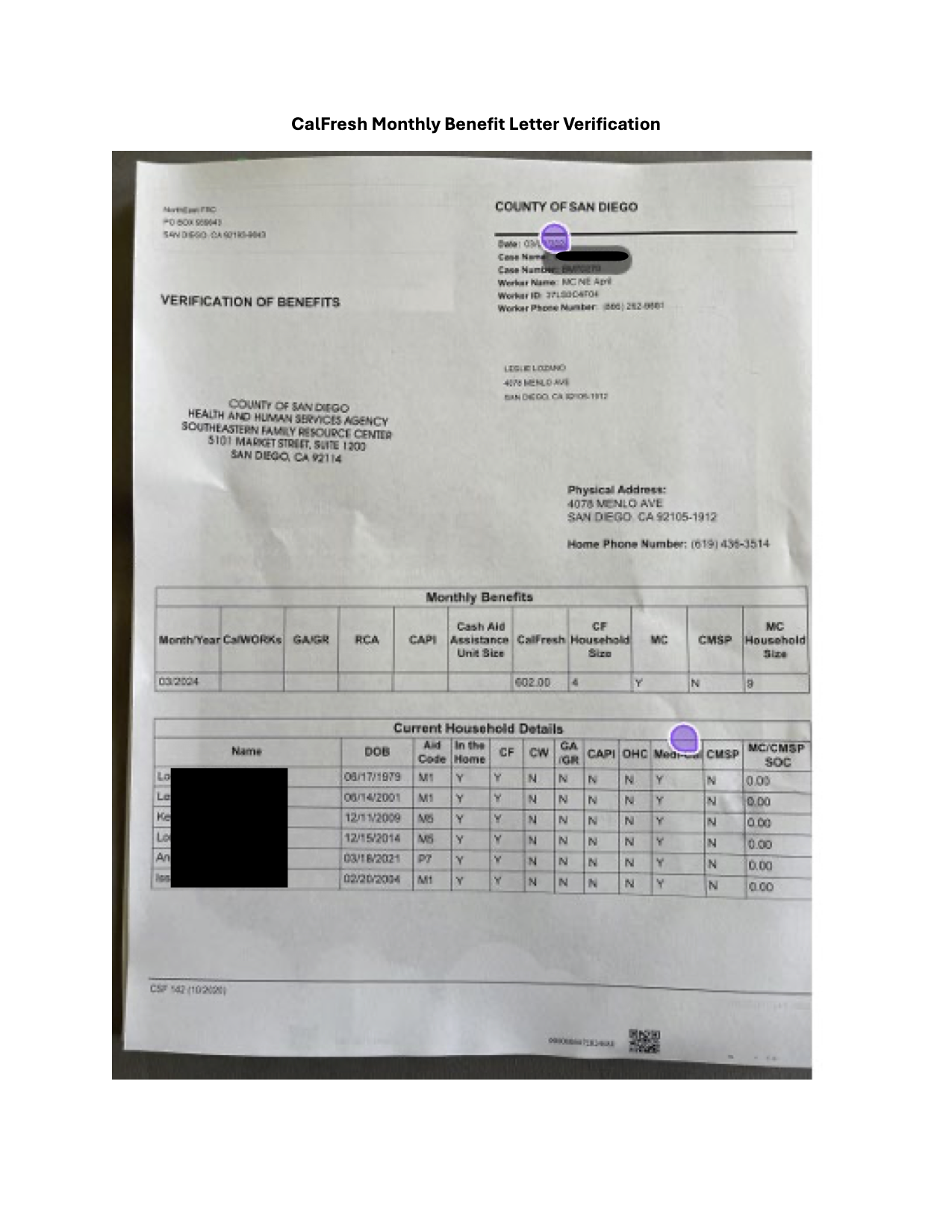
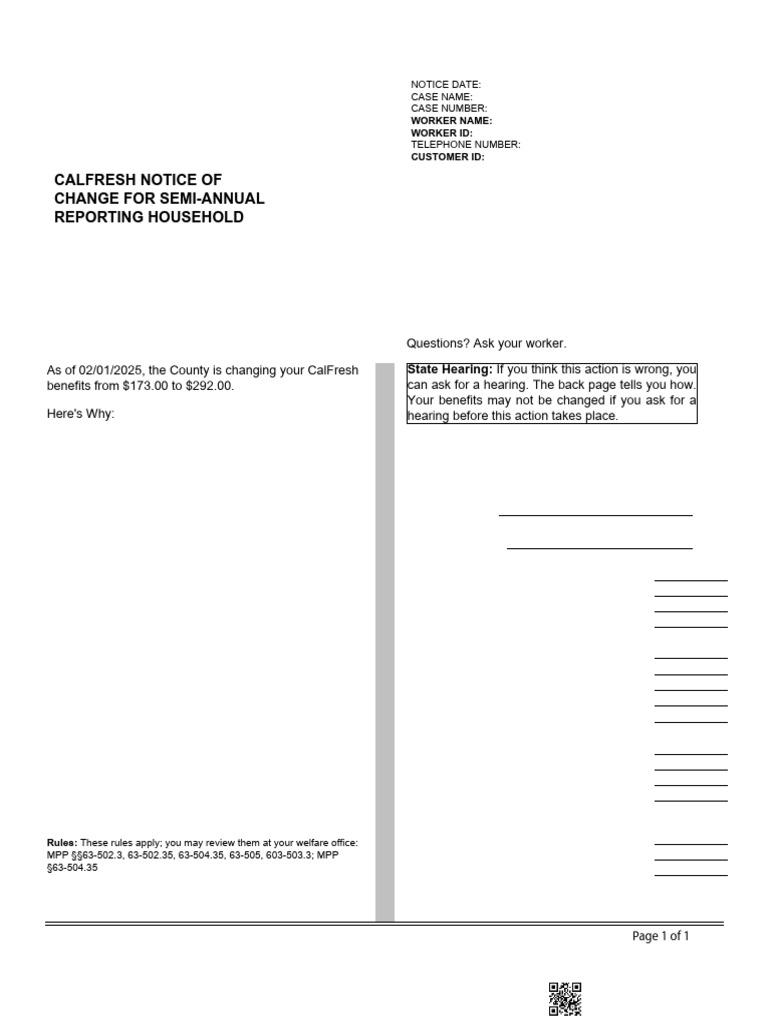
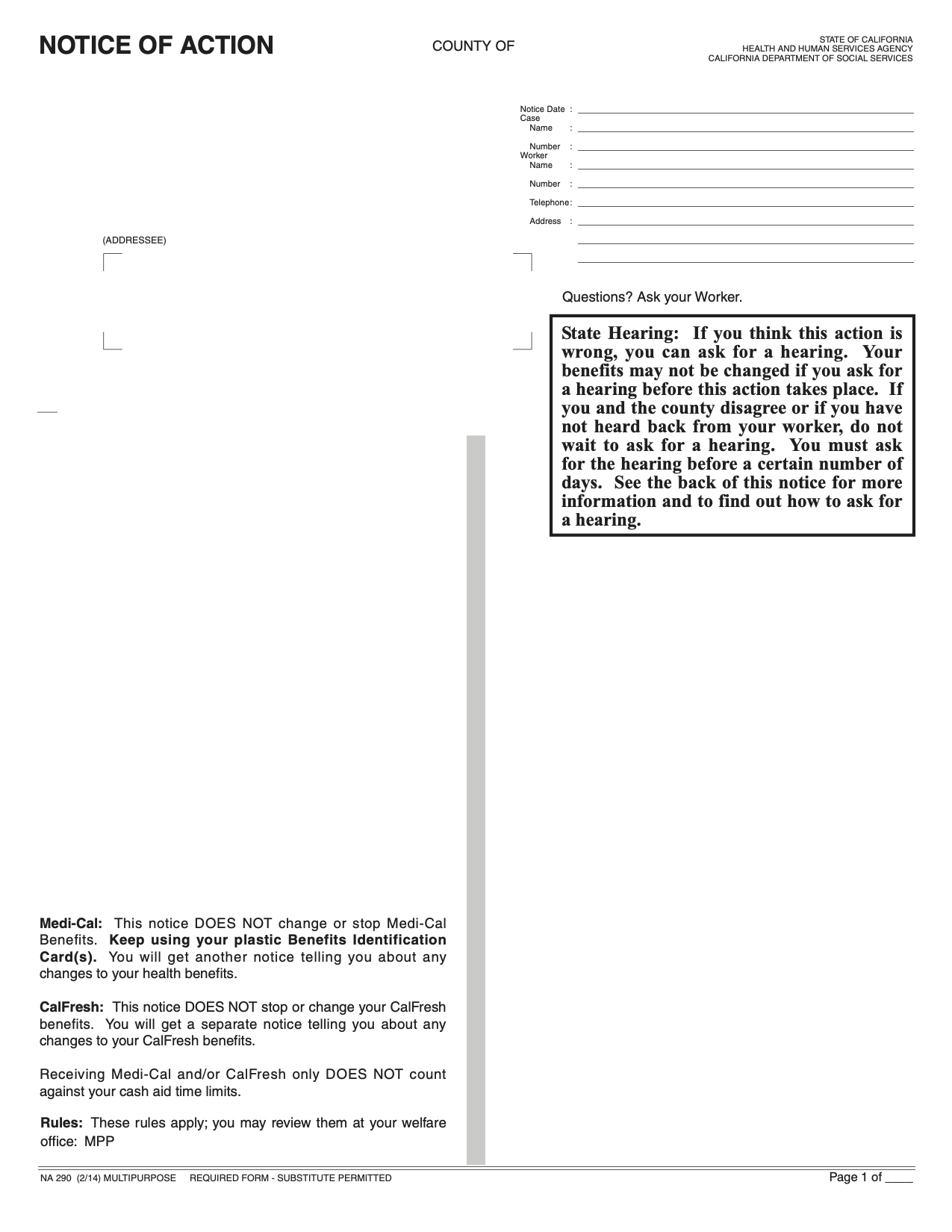
Acceptable documents include a Benefits Verification Letter, Benefit Change Letter, or Notice of Action. See the Benefits Verification example, Benefit Change example, or Notice of Action example. -
WIC
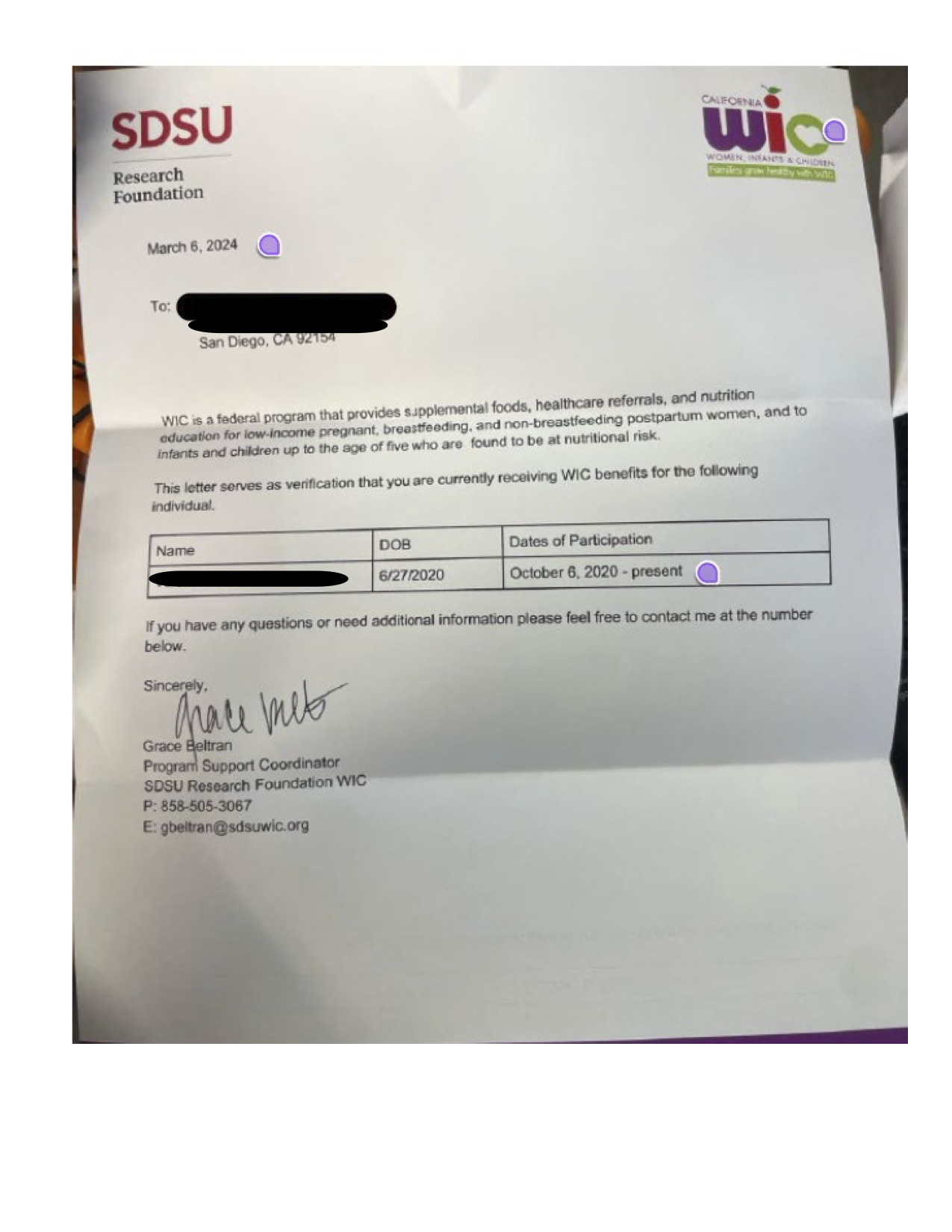
A current WIC verification letter showing active participation and the household member covered. See the Document Example. -
Food Distribution Program on Indian Reservations
Current program documentation confirming active participation and the household member covered. -
Head Start or Early Head Start
Current enrollment or eligibility documentation identifying the child and the active program.
Level 2 Fast Track
-
California Working Disabled Program
Current eligibility documentation identifying the participant and active coverage. -
Section 8 or Public Housing Voucher
A current voucher or housing authority document showing active assistance and the household covered.
Level 3 Fast Track
-
YMCA Childcare Resource Services Alternative Payment Program
Current program documentation confirming enrollment or active payment assistance. -
Child Development Association Alternative Payment Program
Current program documentation confirming enrollment or active payment assistance.
Standard Income Documentation
Use the standard review process when the applicant does not qualify through an approved Fast Track program, when Fast Track documentation does not account for the household, or when the applicant requests consideration for a higher assistance amount.
-
IRS Form 1040 or IRS tax transcript
Used to verify annual household income and household composition. -
Schedule 1 for additional income
Use when additional income, adjustments, or other income sources are reported with the federal return. -
Schedule C for self-employment income
Use to verify net income from a sole proprietorship or other self-employment activity. -
Schedule E for rental, royalty, partnership, trust, or estate income
Use when these income sources are reported on the household’s federal return. -
Current pay stubs
Should clearly show the employee, gross wages, pay frequency, and the current pay period. -
Unemployment benefit statement
Should identify the recipient, current eligibility, and benefit amount or payment frequency. -
SSI or SSDI award letter
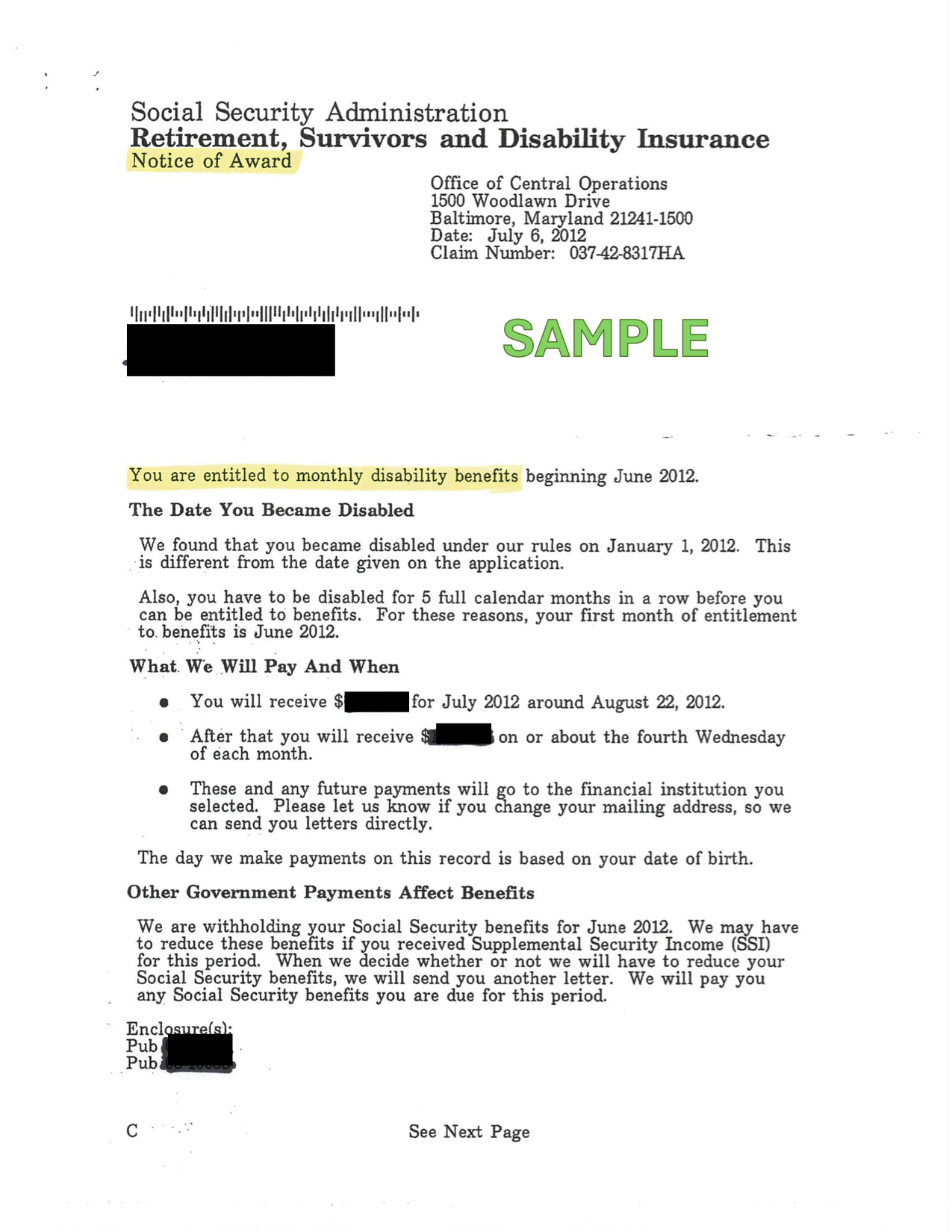
Should identify the recipient, current eligibility, and monthly benefit amount. See the Social Security award example or Retirement / Survivors / Disability Notice of Award example. -
Medi-Cal eligibility verification
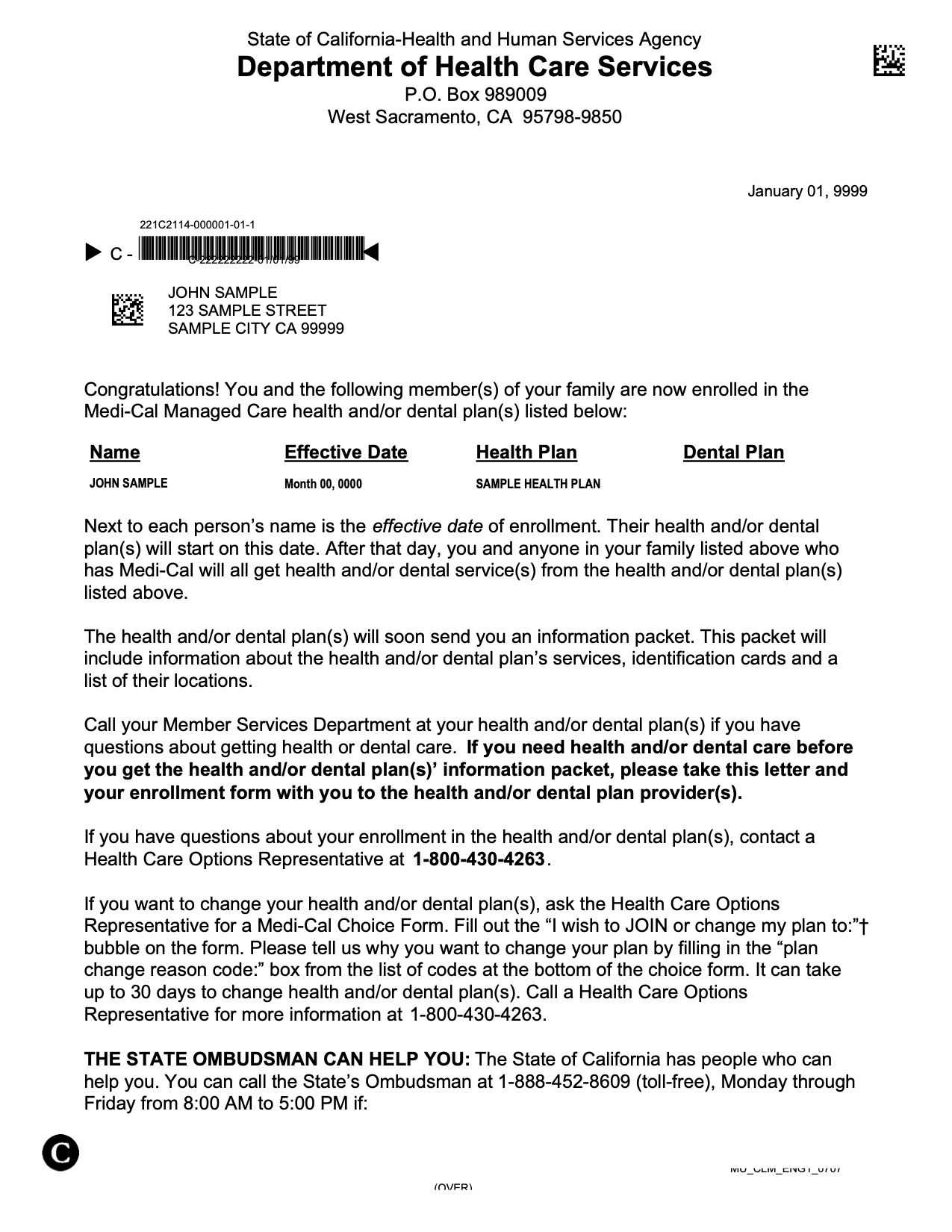
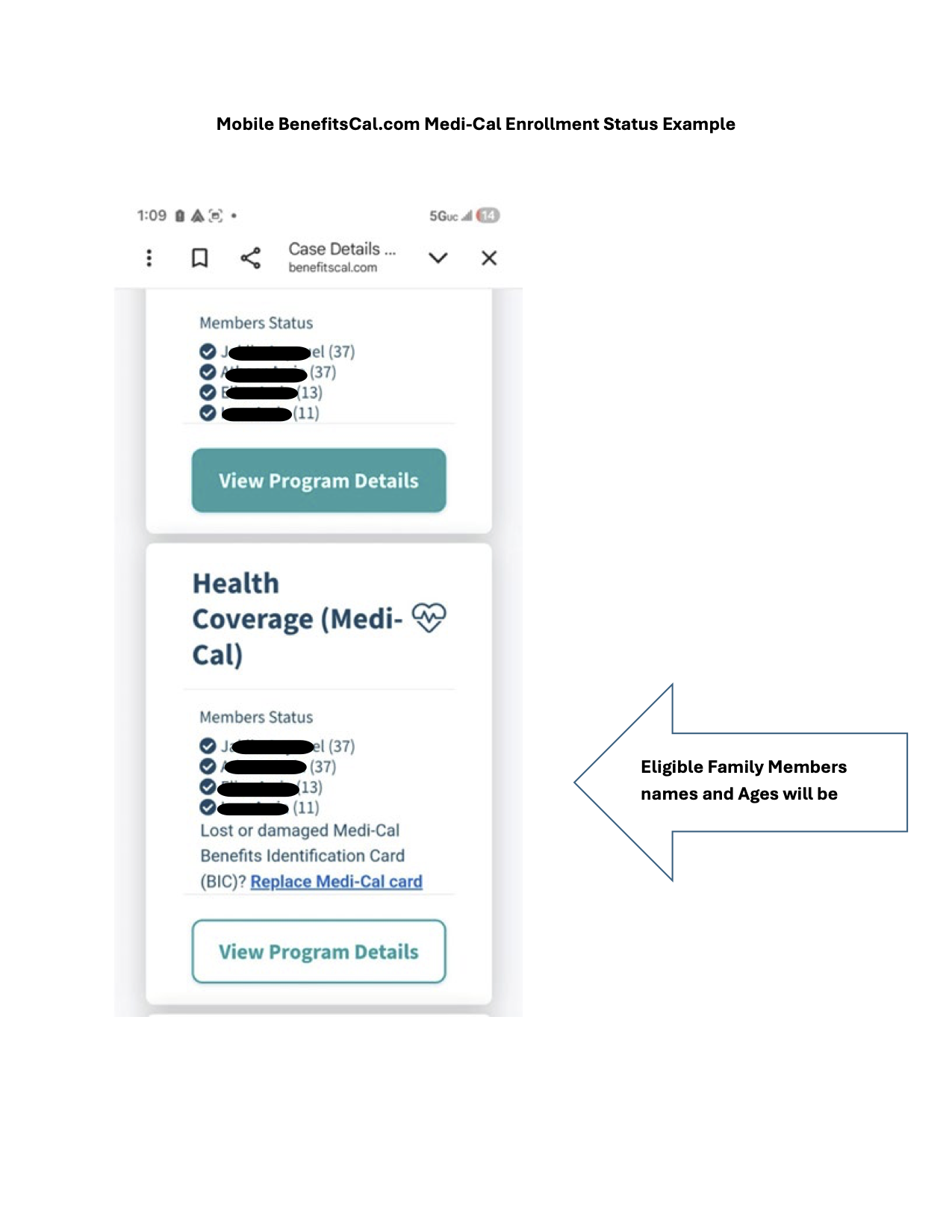
Acceptable documents include an Eligibility Confirmation Letter, Notice of Action, Benefits Identification information, or an online BenefitsCal eligibility record. See the Notice of Action example, Beneficiary Confirmation example, or BenefitsCal enrollment example. -
Social Security benefit statement
Should identify the recipient and current benefit amount or payment history. -
Pension or retirement statement
Should identify the account holder and current recurring payment amount. -
Retirement distribution statement
Should show the recipient, distribution date, and amount received. -
Alimony documentation
Use a court order, payment record, or other current documentation showing recurring support received. -
Child support documentation
Use a court order, payment record, or agency statement showing recurring support received.
Document Examples
Staff can click any image to enlarge it using WordPress’s built-in image viewer. These examples are provided for document recognition and should be reviewed alongside the current ACCESS requirements.
What Staff Should Look For
- The applicant or benefit recipient’s name.
- The name of the qualifying program or income source.
- A current effective date, award date, or verification date.
- The monthly or annual benefit or income amount, when applicable.
- The household members covered by the benefit.
- Enough information to confirm that the document applies to the applicant’s current circumstances.
Many benefit letters and Notices of Action should be dated within the last year. When a document lists only the primary adult and does not identify everyone covered by the benefit, additional documentation may be required.
Recommended Staff Talking Points
Introducing Financial Assistance
“The YMCA offers financial assistance to help ensure everyone has access to membership and programs. We’ll review your household size and income information using our financial assistance guidelines to determine what level of assistance you may qualify for.”
Requesting Documents
“To be fair and consistent with donor-funded assistance, we must verify household income for all adults living in the home.”
When Approval Is Granted
“Congratulations. Based on our review, you have qualified for financial assistance. Your discounted rate will remain in effect through your approval period, provided your membership remains active.”
When Additional Review Is Needed
“Your application requires additional review due to your unique circumstances. Our Membership Director will review the information and follow up with you.”
Frequently Asked Questions
No. Staff may explain the general assistance tiers, but an award cannot be promised or guaranteed until the application and documentation have been reviewed and approved.
Yes. Upload documentation during the application whenever possible. If documents are not available, the application may still be submitted and the Business Center will request the missing information during review.
The application will generally need to follow the standard income-review process so that income from all adults living in the household can be evaluated.
Respectfully ask how household expenses are paid, whether anyone provides financial support, whether the household receives public assistance, whether other adults live in the residence, and whether anyone receives SSI, disability, unemployment, child support, alimony, or other recurring payments.
No. Financial assistance is not retroactive and cannot be applied to fees paid before approval.
Members should submit a renewal application at least 30 days before their current scholarship expires. They may apply earlier when needed.
Contact your Membership Supervisor, Membership Director, or the Business Center when an application involves unusual household circumstances, unclear documentation, or an exception that is not addressed in this guide.