There are several account platforms used at the YMCA, please follow the steps below to the resource you would like to manage:
Use the Forgot your Password link from the UltiPro login page:
https://n23.ultipro.com
Use the Forgot your Password link from the Kronos login page:
https://yclock.ymcasd.org
YMCA Account, YMCA Email, SharePoint, Helpdesk, ClubConnect,
Y University/Cornerstone, Citrix
Use the Office365 password reset portal here:
https://aka.ms/sspr
PLEASE NOTE: Password reset requires you to first enable account self-service. Follow the steps below to get started:
Time needed: 5 minutes.
Enable Password Self-Service
- Account Registration
Register your account for self-service by following the steps here:
https://aka.ms/ssprsetup
Expected: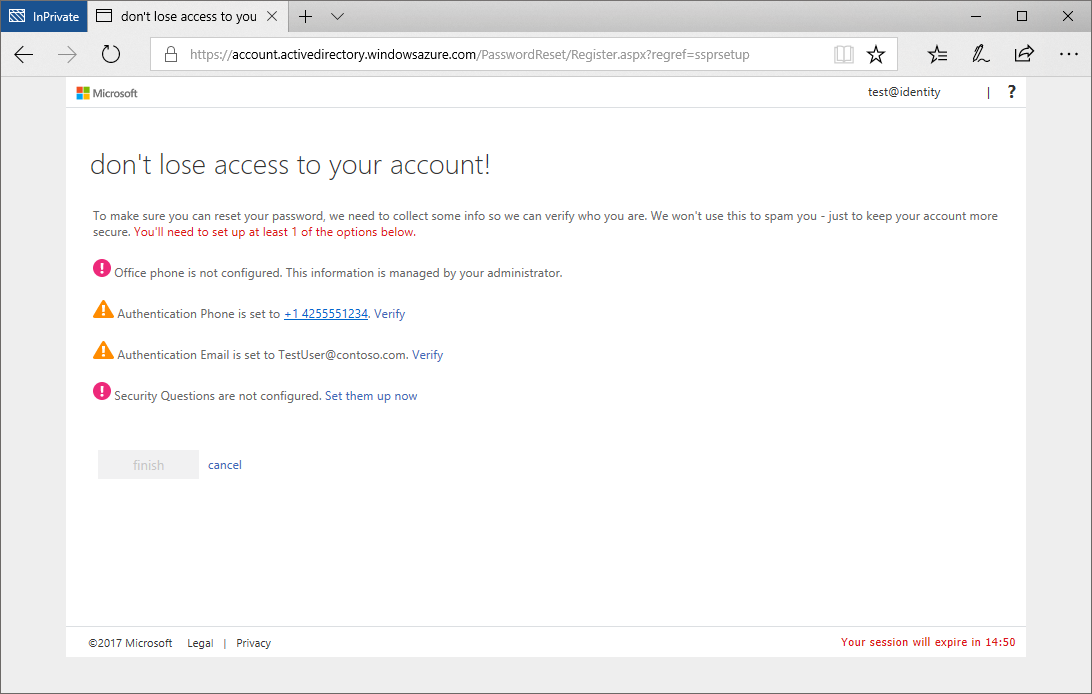
If you have not previously registered your account and have forgotten your password, please contact support for further assistance