- Look for the TeamViewer Application (a version has been installed on all YMCASD Computers).
*The TeamViewer Application Icon should be located on the computer’s main desktop, or pinned to the Windows Task Bar or Tray – it can be identified by one of these 3 icons: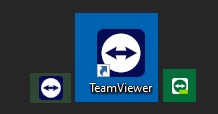
- Click the TeamViewer icon and a window will open – look for the ALLOW REMOTE CONTROL section.
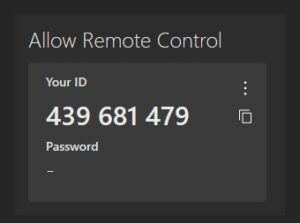
- Here you will find “Your ID” – this is the TeamViewer ID Number (or TVID#) & can be identified by a 9 or 10 digit combination. Example Below:
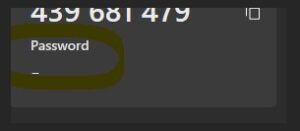
- * In some cases you may also see a TeamViewer Password provided in the space highlighted below – if so, please share that with your IT Department Technician when being helped. Thank you.