The YMCA of San Diego County uses Dude Solutions as the main hub for reporting maintenance or facilities issues at our YMCA Sites.
To fill out a Dude Solutions Request, please follow the instructions below:
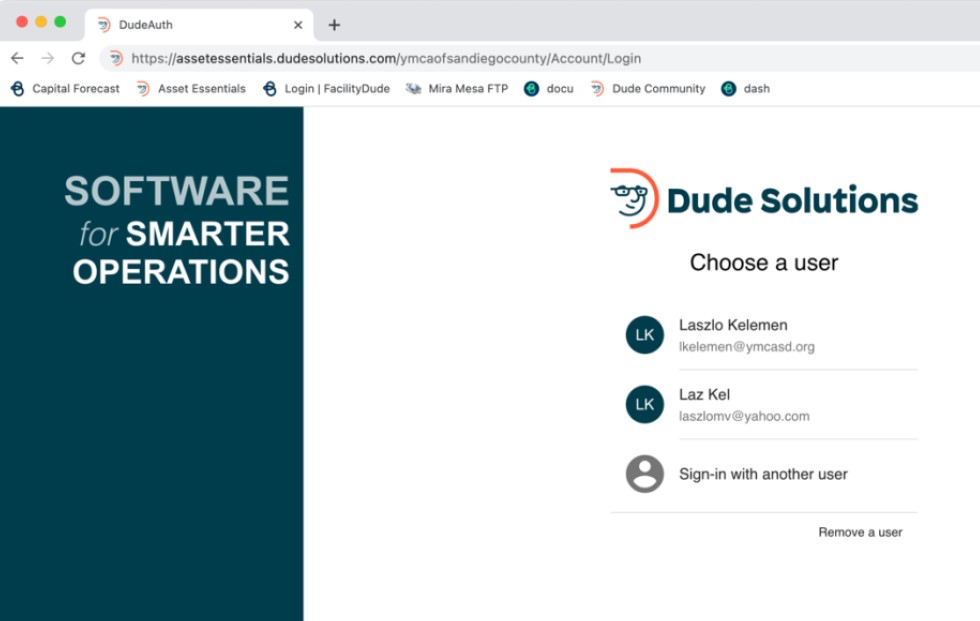
1.) Log into: https://assetessentials.dudesolutions.com/ymcaofsandiegocounty/Account/Login
*Important: if you do not already have a login for Dude Solutions, you may request one from your branch or site Facilities Staff.
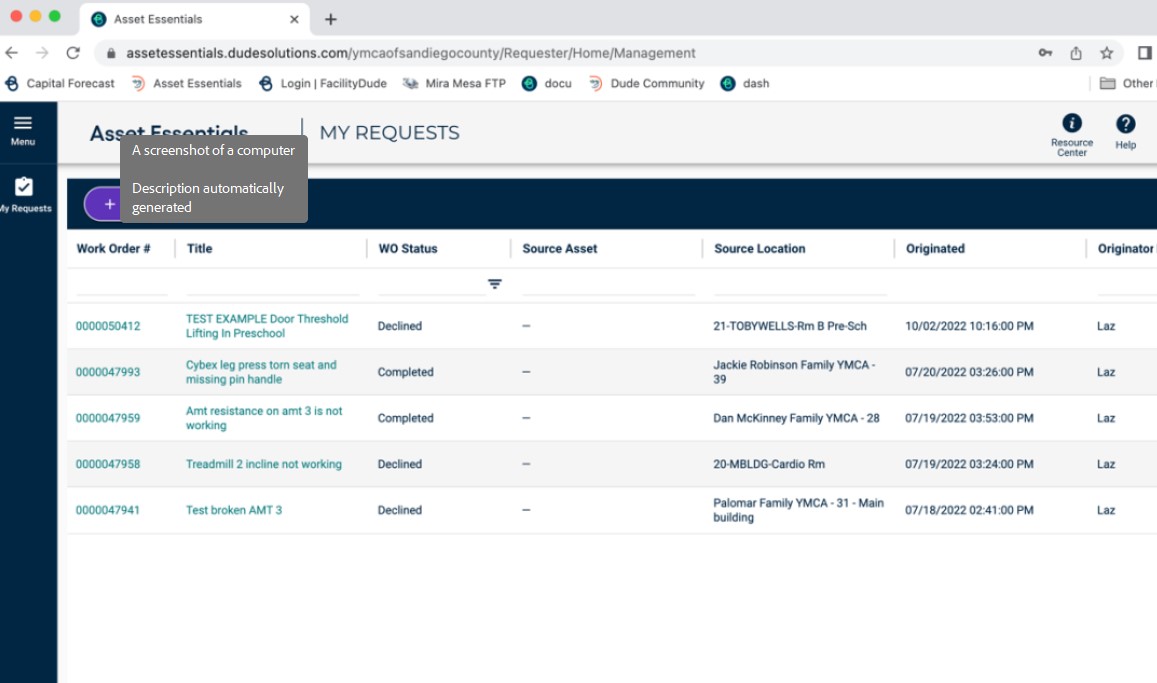
2.) Click “NEW”  to create a new request.
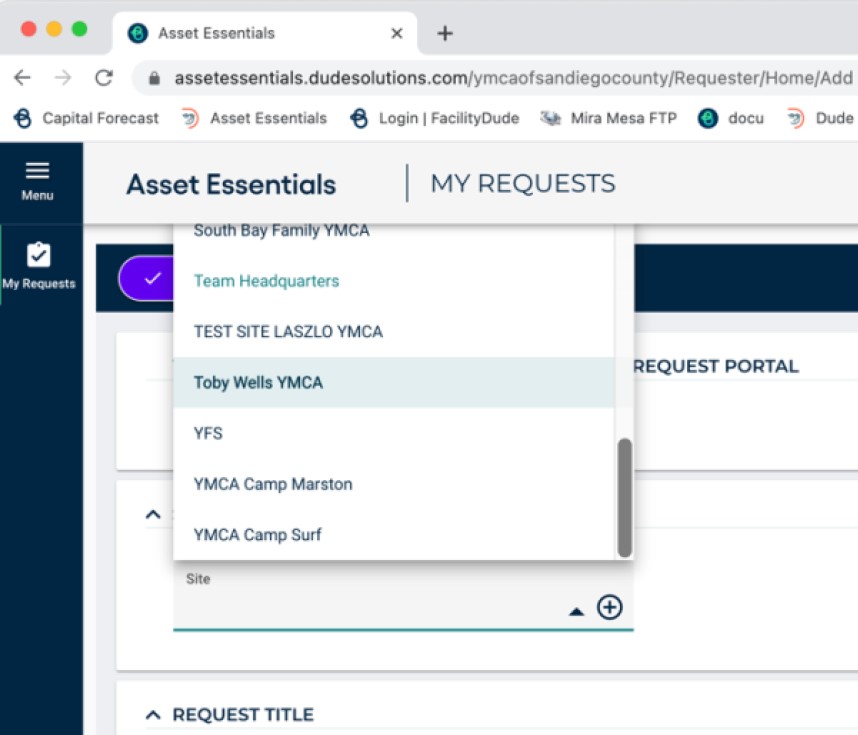
3.) Select your site/branch in the Select Region/Site drop down menu.
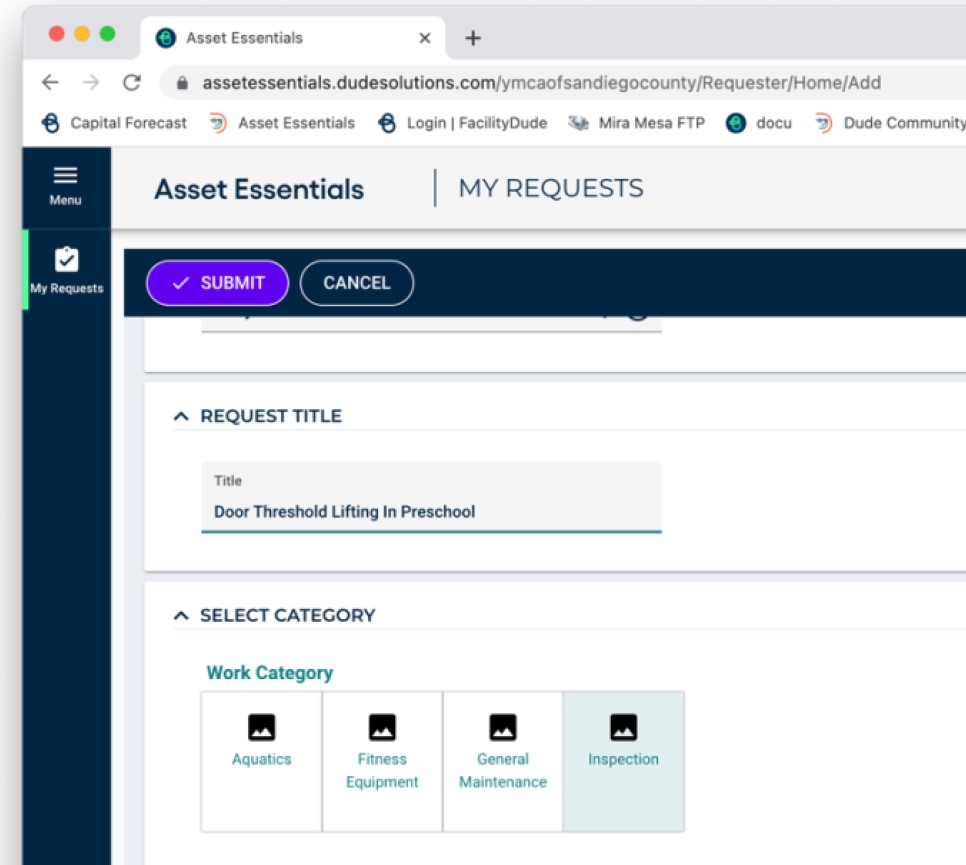
4.) Enter a brief title for your request and select Inspection Button.
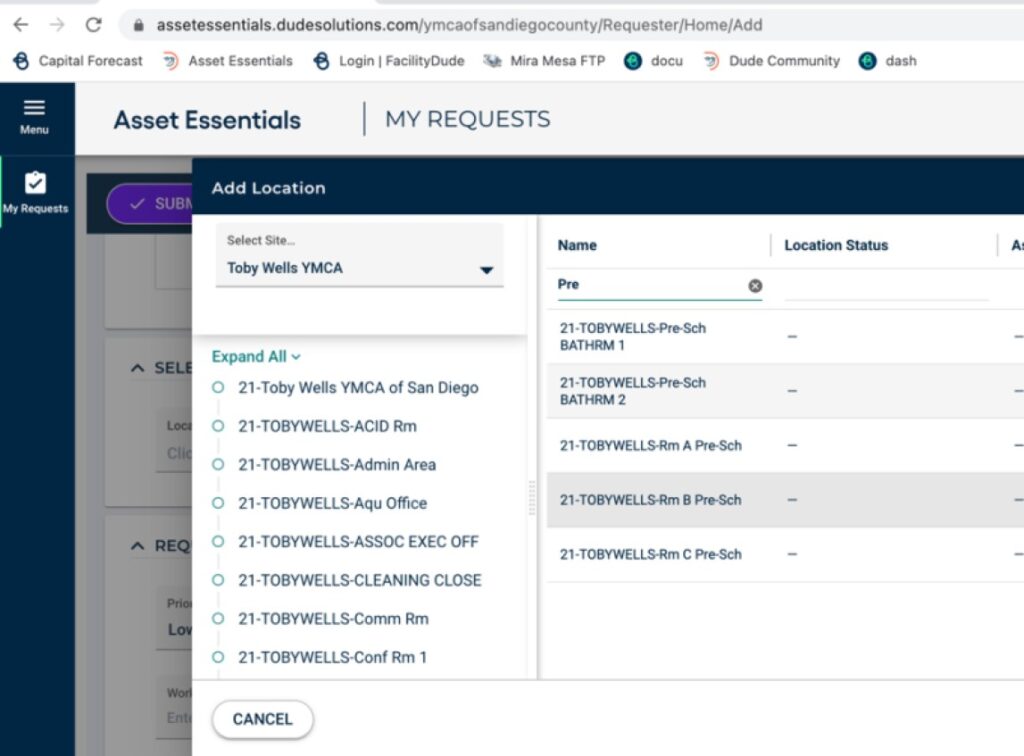
5.) You can add a specific location at your site for the issue at hand. Use the Search filter to quickly find rooms and select.
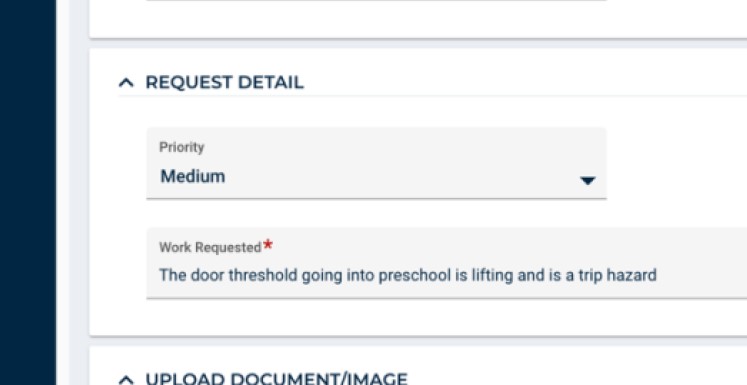
6.) Select Priority level. Then, enter a detailed description of your issue/request. You may also add images, documents, or attachments to your request.
7.) Click SUBMIT  to complete your request.
Note: You can view the status of all of your requests by clicking “My Requests“.
You will receive email notifications for any status changes or messages/comments on your request.